

25 Small Business Automation Ideas That Save Time Without Losing Control
Practical workflows for leads, bookings, invoices, reviews, inventory, support and reporting — each with a clear trigger, a defined action and a human check where it matters.
- TRIGGERNew web lead
- CONDITIONZIP in service area
- ACTIONCreate CRM record + send acknowledgement
- APPROVALQuote over $2,500 → owner
- RESULTTask assigned to JW
In this article
Small business automation works best when it removes the repetitive work that people already know how to do. It should not start with the question, “Where can we add AI?” It should start with a simpler question: “What task does someone repeat every day or every week using the same information and the same rules?”
That distinction matters in 2026. The U.S. Chamber of Commerce reports that nearly every U.S. small business uses at least one technology platform, 41% use six or more platforms, and 66% use AI. The opportunity is no longer simply to buy more automation tools for small business. It is to connect the work those tools already contain, reduce duplicate data entry, and keep human judgment where it actually matters.
This guide gives 25 small business automation ideas across lead capture, CRM, bookings, payments, reviews, marketing, inventory, purchasing, staff, customer support and reporting. It also shows how to automate a small business without creating brittle workflows that annoy customers or make employees spend more time fixing software than doing useful work.
Quick answer: what should a small business automate first?
Start with a task that is repetitive, rule-based, frequent, measurable and reversible. Good candidates include lead acknowledgements, customer follow-up, appointment reminders, invoice reminders, review requests, low-stock alerts and weekly reporting. Avoid automating decisions that require negotiation, empathy, professional judgment, safety decisions or unusual exceptions until there is a clear human approval path.
How to automate a small business without creating chaos
Business process automation for small business is not the same as “make everything automatic.” A reliable small business workflow automation has four parts: a trigger, the context required to make a decision, an action, and a fallback or approval path. That basic structure works whether the business is automating a web lead, an overdue invoice, a low-stock alert, a support ticket or a job completion workflow.
- TriggerThe event that starts the workflow.
- ContextThe data needed to make a decision.
- ActionWhat the system does next.
- Fallback / approvalWhere a person steps in.
25 practical small business automation ideas
Each idea lists the event that starts it, what the automation does, and where a person should stay involved. Grouped by business area so you can jump to the part of the business that hurts most.
LEADS & CRM · IDEAS 1–6
1. Automate lead capture
When a prospect submits a website form, chats, messages the business or comes through an ad, automate lead capture into the CRM instead of copying details manually. A strong small business CRM automation also records source and campaign information so the team knows where the lead came from.
- TRIGGER
- Form, chat, message or ad lead
- AUTOMATION
- Create/match CRM record with source
- HUMAN CHECK
- Merge suspected duplicates
2. Send an instant lead acknowledgement
Lead follow-up automation workflows can send a short acknowledgement immediately while the lead is still engaged. Keep it useful: confirm the request, explain what happens next, and avoid pretending a human personally wrote a message if the reply is automated.
- TRIGGER
- New lead saved
- AUTOMATION
- Send acknowledgement with next steps
- HUMAN CHECK
- Not usually needed
3. Assign leads automatically
Automatic lead assignment can route opportunities by branch, service type, ZIP code, salesperson, language or workload. This is especially useful for multi-location teams and field-service businesses.
- TRIGGER
- Lead created
- AUTOMATION
- Assign by branch, ZIP or workload
- HUMAN CHECK
- Reassign edge cases
4. Create structured follow-up tasks
Customer follow-up automation should not only send messages. It can create a task for the right person when a quote is opened, a high-value lead has no response, or an opportunity reaches a stage that needs human judgment.
- TRIGGER
- Quote opened or lead goes quiet
- AUTOMATION
- Create task for the owner
- HUMAN CHECK
- The follow-up itself
5. Automate quote and estimate follow-up
Use quote or estimate follow-up workflows to remind a prospect after a defined period, then stop automatically when the quote is accepted, declined or replaced. Do not keep sending reminders after the customer has already decided.
- TRIGGER
- Quote sent, no reply in X days
- AUTOMATION
- Send reminder; stop on decision
- HUMAN CHECK
- Price changes
6. Keep CRM records updated
Automate CRM data entry when a booking, order, payment, support conversation or website form contains structured customer information. The automation should match existing records instead of creating duplicates.
- TRIGGER
- Booking, order, payment or form
- AUTOMATION
- Update the matched customer record
- HUMAN CHECK
- Conflicting details
BOOKINGS & APPOINTMENTS · IDEAS 7–11
7. Automate appointment scheduling
Online booking automation lets customers choose from real availability instead of trading emails. Automate appointment scheduling only after the system understands service length, staff, branch, capacity and buffer rules — see Noxtill Bookings.
- TRIGGER
- Customer picks a slot
- AUTOMATION
- Create booking against real availability
- HUMAN CHECK
- Overbooking exceptions
8. Send booking confirmations
Automate booking confirmations by email, SMS or WhatsApp when consent and channel rules are satisfied. Include time, location, service, reschedule instructions and the business contact method.
- TRIGGER
- Booking created
- AUTOMATION
- Send confirmation on a permitted channel
- HUMAN CHECK
- Not usually needed
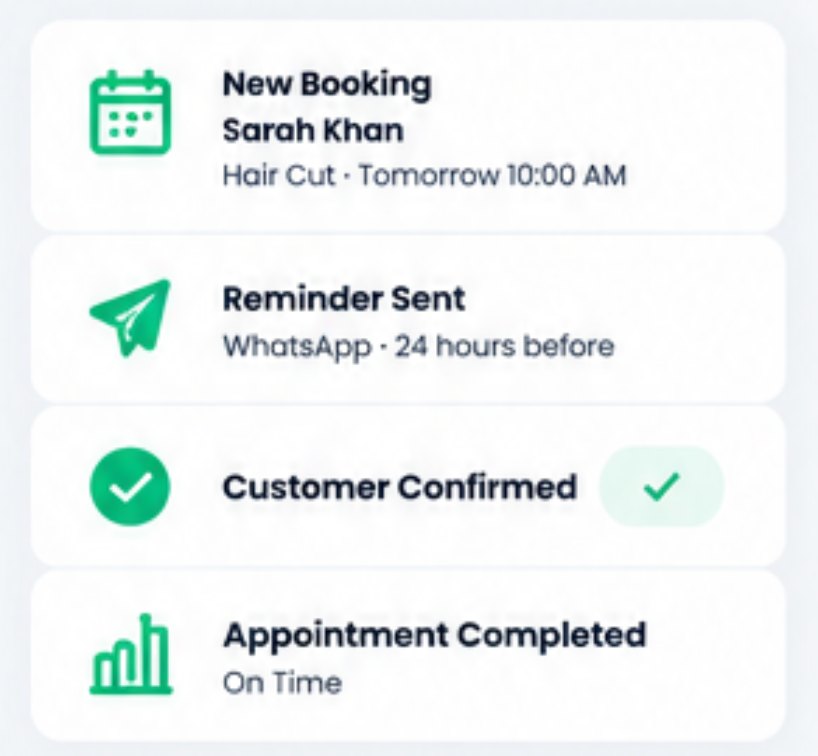
9. Send appointment reminders
Appointment reminder automation is one of the simplest small business automation examples because the trigger and timing are clear. Use automated booking reminders before the appointment and allow a customer to confirm, reschedule or cancel.
- TRIGGER
- 24h / 2h before start
- AUTOMATION
- Send reminder with confirm/reschedule
- HUMAN CHECK
- Not usually needed
10. Automate no-show prevention workflows
Reduce no-shows by combining reminders with easy rescheduling and internal alerts for high-risk appointments. Automated no-show reminders should not shame customers; they should make the next action easy.
- TRIGGER
- Unconfirmed booking near start
- AUTOMATION
- Alert team; offer easy reschedule
- HUMAN CHECK
- Fees or deposits
11. Trigger post-appointment follow-up
Appointment follow-up automation can send aftercare instructions, a payment link, a review request, a rebooking option or a team task depending on the service completed.
- TRIGGER
- Appointment marked complete
- AUTOMATION
- Send aftercare, payment or rebook link
- HUMAN CHECK
- Sensitive services
INVOICES & PAYMENTS · IDEAS 12–15
12. Generate invoices from completed work
Invoice automation for small business can create a draft invoice when an order, job or project reaches the right status. High-value or unusual invoices can still require approval before sending.
- TRIGGER
- Job or order reaches “complete”
- AUTOMATION
- Create draft invoice
- HUMAN CHECK
- High-value invoices
13. Send payment reminders
Payment reminder automation can notify customers before and after a due date using a controlled schedule. Overdue invoice reminders should stop immediately when payment is confirmed or the invoice is disputed — see Payments & Billing.
- TRIGGER
- Invoice due / overdue
- AUTOMATION
- Send scheduled reminder; stop on payment
- HUMAN CHECK
- Disputed invoices
14. Run recurring billing workflows
Recurring billing automation is useful for memberships, service plans and subscriptions. The workflow should account for failed payments, updated cards, cancellation rules and customer notifications.
- TRIGGER
- Billing date reached
- AUTOMATION
- Charge saved method; notify customer
- HUMAN CHECK
- Failed payments, cancellations
15. Reconcile payment status into customer records
Automated payment reminders are more effective when payment status writes back into the same record. Small business billing automation should avoid separate “paid” states in multiple systems.
- TRIGGER
- Payment received
- AUTOMATION
- Update invoice, order and customer record
- HUMAN CHECK
- Partial or unmatched payments
REVIEWS & MARKETING · IDEAS 16–18
16. Automate review requests
Automate review requests after a genuinely completed customer interaction. Automatic Google review requests or other reputation workflows should invite feedback without filtering only for customers expected to leave positive reviews — see Reviews & Reputation.
- TRIGGER
- Service completed
- AUTOMATION
- Send review request to every eligible customer
- HUMAN CHECK
- Not usually needed
17. Route low ratings to the team
Reputation management automation can create an internal recovery task when a low rating or negative review appears. The customer-facing reply may be drafted by AI, but sensitive responses should be approved by a person.
- TRIGGER
- Rating of 1–2 stars
- AUTOMATION
- Create recovery task; draft reply
- HUMAN CHECK
- Every public response
18. Reactivate inactive customers
Customer reactivation automation can identify customers who have not booked or purchased within an appropriate period and create a targeted follow-up campaign, subject to marketing consent rules.
- TRIGGER
- No visit in N days
- AUTOMATION
- Add to consented win-back campaign
- HUMAN CHECK
- Offer and discount rules
INVENTORY & PURCHASING · IDEAS 19–21
19. Automate inventory alerts
Inventory automation workflows can monitor stock thresholds and send a stock alert when an item falls below the configured level in Inventory.
- TRIGGER
- Stock below threshold
- AUTOMATION
- Alert the buyer or manager
- HUMAN CHECK
- Not usually needed
20. Create reorder suggestions
Reorder automation rules can consider current stock, open orders, supplier lead time and recent sales. A suggestion can be automated while the actual purchase order remains approval-based.
- TRIGGER
- Low stock + lead time
- AUTOMATION
- Draft reorder suggestion
- HUMAN CHECK
- The purchase order
21. Automate purchase requests and approvals
Purchase order and procurement automation can route purchase requests to the right approver, create a PO after approval, and update inventory when goods are received.
- TRIGGER
- Purchase request submitted
- AUTOMATION
- Route to approver; create PO; receive stock
- HUMAN CHECK
- Approval by amount
FIELD, STAFF, SUPPORT & REPORTING · IDEAS 22–25
22. Automate work-order status updates
Field service automation can move a work order from scheduled to in progress when a technician starts a job, notify the customer of arrival, and create follow-up actions when work is completed.
- TRIGGER
- Technician starts or finishes job
- AUTOMATION
- Update status; notify customer
- HUMAN CHECK
- Scope changes
23. Automate staff tasks and schedules
Staff scheduling automation can alert managers to open shifts, overlapping assignments or missing coverage. Task automation for small business can create work from business events instead of relying on someone to remember it.
- TRIGGER
- Open shift or business event
- AUTOMATION
- Alert manager; create task
- HUMAN CHECK
- Schedule changes
24. Automate customer support triage
Customer support and helpdesk automation can classify incoming requests, match the customer, set priority, suggest knowledge-base content and route the ticket. Complex cases still need a person.
- TRIGGER
- Message arrives in the inbox
- AUTOMATION
- Classify, match customer, set priority
- HUMAN CHECK
- Complex or angry cases
25. Build automatic daily and weekly reports
Automate business reporting so managers receive a consistent summary of sales, payments, bookings, customer issues, inventory risks and upcoming work. The report should highlight exceptions instead of flooding owners with every metric — see Reports.
- TRIGGER
- End of day / week
- AUTOMATION
- Send summary with exceptions
- HUMAN CHECK
- Interpreting the numbers
AI automation for small business: where AI adds value
AI automation for small business is most useful when language, classification or summarization is involved. Traditional rules are excellent at “when X happens, do Y.” AI can help when the system must understand an email, summarize a call, classify a support request, draft a reply, identify an anomaly, or recommend a next action.
- AI lead qualification: summarize a lead, extract structured details and suggest a priority while leaving final acceptance or pricing to a person.
- AI customer service automation: classify the request, draft a reply and surface relevant customer history or knowledge articles.
- AI reply automation: prepare a response in the business tone, but require approval for sensitive complaints, refunds or commitments.
- AI email automation: summarize long threads, extract action items and route the message to the right workflow.
- AI scheduling automation: interpret natural-language booking requests and translate them into a real calendar action only after availability is checked.
- AI operations automation: flag unusual sales, payment, inventory or staffing patterns for review instead of silently changing core records.
- AI agents for small business automation: combine analysis and tool use across multiple steps, but constrain actions through permissions, approvals, audit trails and business rules.
NIST’s AI Risk Management Framework is useful here because it emphasizes risk management, transparency and human oversight. In practical small-business terms, AI-generated suggestions should be traceable, important changes should be reviewable, and the business should know who is responsible when the system is wrong. Noxtill applies the same principle in AI Agents & Workflows: multi-step work that waits for approval.
Automation by business area
| Area | Useful automations | Keep human review for |
|---|---|---|
| Sales / CRM | Lead capture, source attribution, reminders, pipeline updates, quote follow-up | Negotiation, pricing exceptions, complex qualification |
| Bookings | Online booking, confirmations, reminders, rebooking prompts | Overbooking exceptions, VIP handling, complex resource conflicts |
| Payments | Invoice drafts, payment links, reminders, status updates | Refunds, disputes, unusual credits, financial exceptions |
| Reviews / marketing | Review requests, reactivation, campaign triggers | Sensitive reputation responses, claims, regulated promotions |
| Inventory / procurement | Low-stock alerts, reorder suggestions, approval routing | Supplier selection changes, unusual purchases, high-value orders |
| Field service | Dispatch notifications, status changes, checklists, completion follow-up | Safety decisions, scope changes, major variations |
| Support | Ticket classification, routing, summaries, draft replies | Angry customers, legal threats, refunds, policy exceptions |
| Reporting | Nightly/weekly summaries, anomaly flags, KPI rollups | Interpretation of high-impact financial or strategic decisions |
How to prioritize automation: impact before novelty
The best automation tools for small business cannot rescue a process that nobody understands. Before selecting software, write down the current steps, identify the trigger, decide which system owns the record, and define the outcome. This avoids a common failure mode where small business automation software moves bad or duplicate data faster.
- List repetitive tasks for one week. Include tiny tasks: copying a form into a CRM, checking a calendar, chasing an invoice, sending a reminder, updating stock, or building a report.
- Score each task for frequency, time, error risk, customer impact and clarity of rules.
- Start with a simple automation idea that has a clear trigger and a low-cost failure mode.
- Define the owner of the data. Customer details should not have multiple competing “master” records across CRM, bookings and payments.
- Add a human approval where the action changes money, legal commitments, pricing, customer rights, sensitive communications or critical operations.
- Run the workflow in shadow mode if possible. Let it suggest or draft actions before it performs them automatically.
- Measure before and after. Track time, completion rate, error rate, customer response, overdue items and employee corrections.
- Expand only after the first automation is stable. Connected automation compounds value, but connected errors compound too.
A 30-day small business automation plan
How Noxtill connects automation to the business record
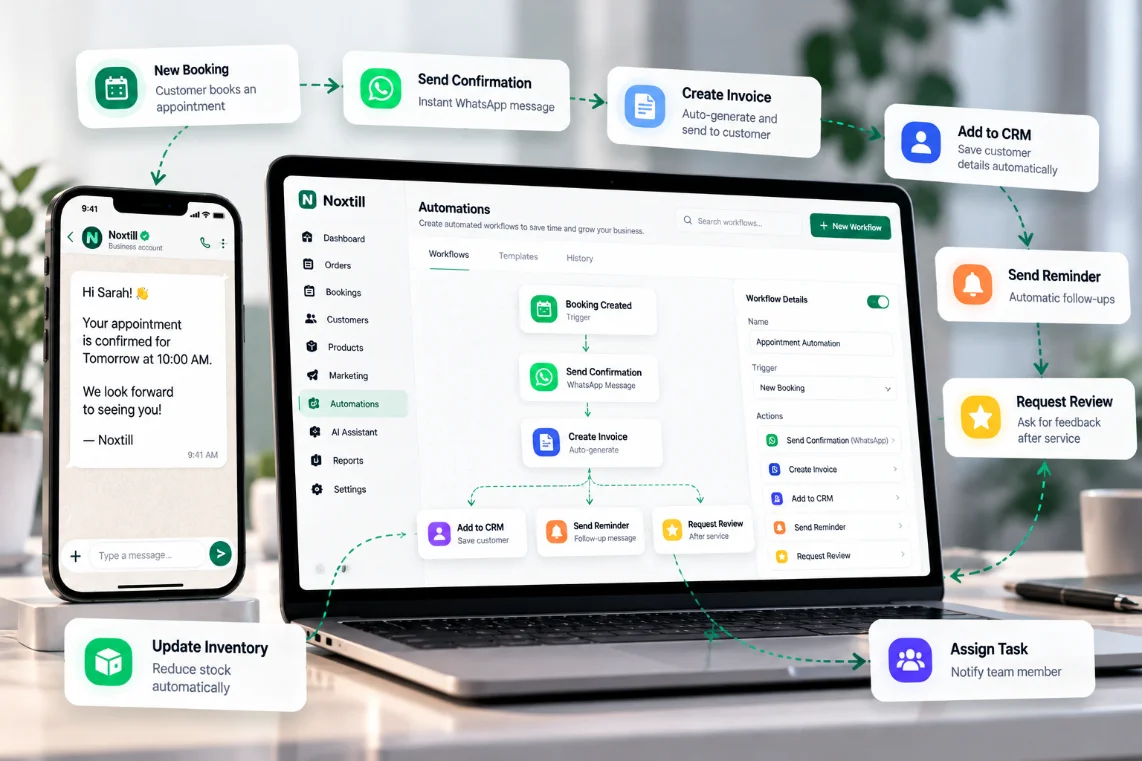
Noxtill’s Automations & Workflows module is designed around business events across connected modules. A trigger can start from a booking, order, customer action, payment, stock level, message, review, work order or another operational event. Conditions decide whether the workflow should continue. Actions can create tasks, send permitted communications, update records, request approval or hand work to another module.
The important architectural benefit is that the automation does not need to treat the CRM, inventory, payments, support and reporting systems as unrelated islands. When customer, order, payment, message and workflow records are connected — including conversations in the Unified Inbox — everyday business automation ideas become easier to maintain because the same facts do not have to be copied repeatedly. Managers can also ask the AI Assistant which workflows ran and what is waiting for approval.
FAQ: small business automation
What is small business automation?
Small business automation uses software rules, workflows and sometimes AI to complete repetitive operational tasks with less manual handling.
How do you automate a small business?
Start with one frequent, rule-based process, define the trigger and data source, automate the safest steps, add human approval for exceptions, then measure the result before expanding.
What are the best processes to automate in a small business?
Lead capture, appointment reminders, customer follow-up, invoice reminders, review requests, low-stock alerts and recurring reports are common starting points because the rules are usually clear.
What should not be automated?
Judgment-heavy negotiations, regulated professional advice, sensitive complaints, major pricing exceptions, safety decisions and high-impact financial changes should generally retain human review.
Can AI automate customer service?
AI can classify requests, summarize history, draft replies and suggest next steps. Businesses should keep human escalation for sensitive or unusual cases.
How can automation reduce no-shows?
Automated booking reminders, confirmation requests and easy rescheduling reduce friction around appointments. The exact effect should be measured in the business’s own baseline data.
Can automation help with cash flow?
Automation can create invoice drafts, send payment reminders, update payment status and flag overdue accounts, which makes receivables easier to manage. It does not replace financial judgment.
Is workflow automation only for large companies?
No. Small businesses can benefit from simple workflows because even a few repeated manual tasks create noticeable administrative load.
Should a small business use multiple automation tools?
Sometimes. The key issue is whether the tools share reliable records and ownership. Too many disconnected automations can create duplicate data and conflicting actions.
How should small businesses measure automation?
Measure completion rate, error rate, time spent correcting workflows, customer response, overdue items, response time and the amount of manual work that actually disappeared.