


One workflow, end to end
You can read it like a sentence.
Overdue invoice follow-upVersion 4 · live126 runs in 30 days
TRIGGER
Invoice unpaid for 7 days
Checked every morning from Orders.
CONDITION
No open dispute
Skips customers with a dispute or a payment plan.
AI STEP
Draft the reminder
Polite, in your tone, with the amount and a pay link.
“Hi Bilal, a quick reminder that invoice #1040 for $410 is now due…”
APPROVAL
Owner approves a late fee
Only if a fee is added. Otherwise it continues.
Waits for a person
ACTION
Send and create a task
WhatsApp reminder goes out; a follow-up task is set for 3 days.
Example data for illustration.
Approvals
The important decisions come to you.
You choose which actions must wait. Each request shows what will happen and why.
AI steps
Small, well-defined jobs. Not free rein.
Draft a message or reply, for review
Classify a request, with the reason shown
Summarise a record, with its sources
Suggest a quantity or amount, for approval
Every run is on the record Today
| 9:02 AM | Overdue invoice follow-up | Bilal R. · #1040 | Waiting for approval |
| 8:40 AM | Low-stock reorder | Argan Oil Shampoo | Waiting for approval |
| 8:31 AM | Review request | Emily Carter · visit Thu | Completed |
| 8:05 AM | No-show recovery | Omar T. · rebook offer sent | Completed |
| 7:58 AM | Review request | Hina S. · no phone on file | Skipped by condition |
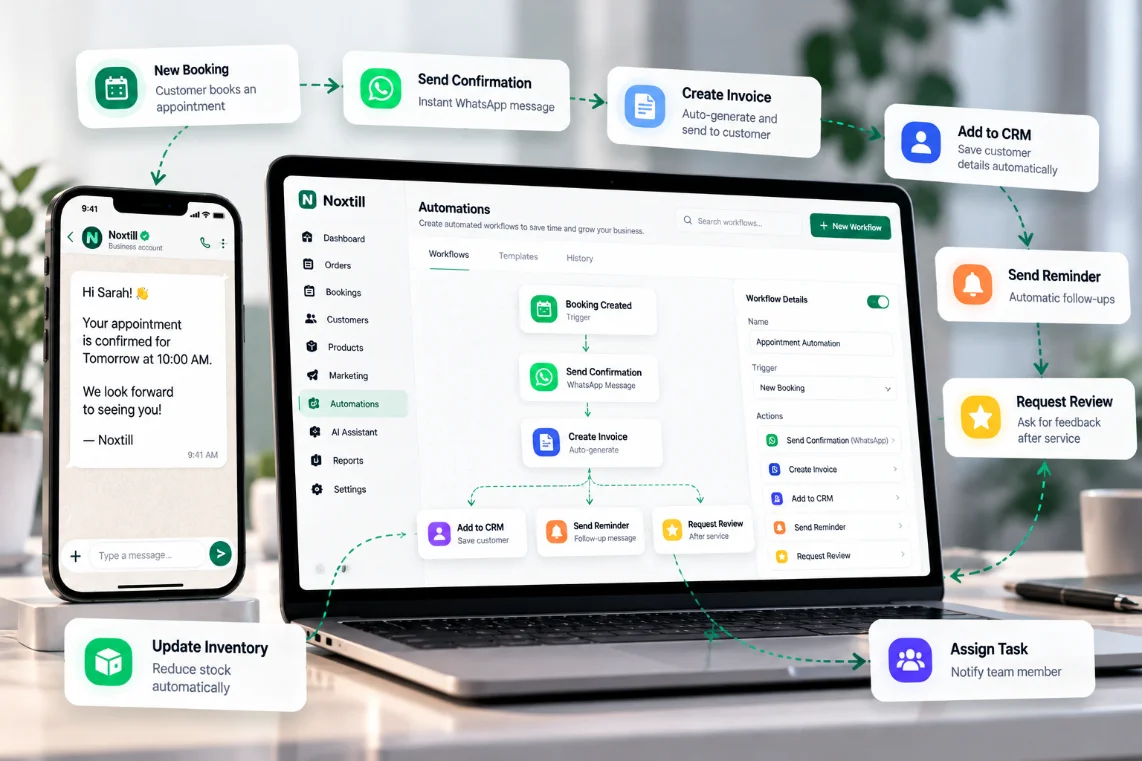
Start from a workflow that already works
Overdue invoice follow-up
Reminds politely; a late fee needs your approval.
No-show recovery
Offers a new slot when a booking is missed.
Review request
Asks at the right time after a visit.
Low-stock reorder
Suggests a quantity and waits for your OK.
Works with Automations & Workflows, the AI Assistant and AI Reply Drafting. How Noxtill uses AI: AI Transparency.
Hand the routine to Noxtill. Keep the decisions for yourself.
- 14-day free trial
- No credit card required
- Cancel anytime