
Run your jobs, teams and work orders from one place.
Field Service & Work Orders helps service businesses schedule jobs, assign technicians, track work in progress and keep customer service history in one connected workspace — from first quote to final signature.
- Drag-and-drop dispatch board and schedule
- Technician mobile app with tasks, photos and signatures
- Completed jobs flow to invoicing and payments
How a job moves through Noxtill
1. Quote
Send a quote that converts into a work order with one click.
2. Schedule
Book the right technician at the right time on a shared calendar.
3. Dispatch
Send jobs to technicians’ phones with address, tasks and history.
4. Complete
Capture notes, photos and the customer’s signature, then close the job.
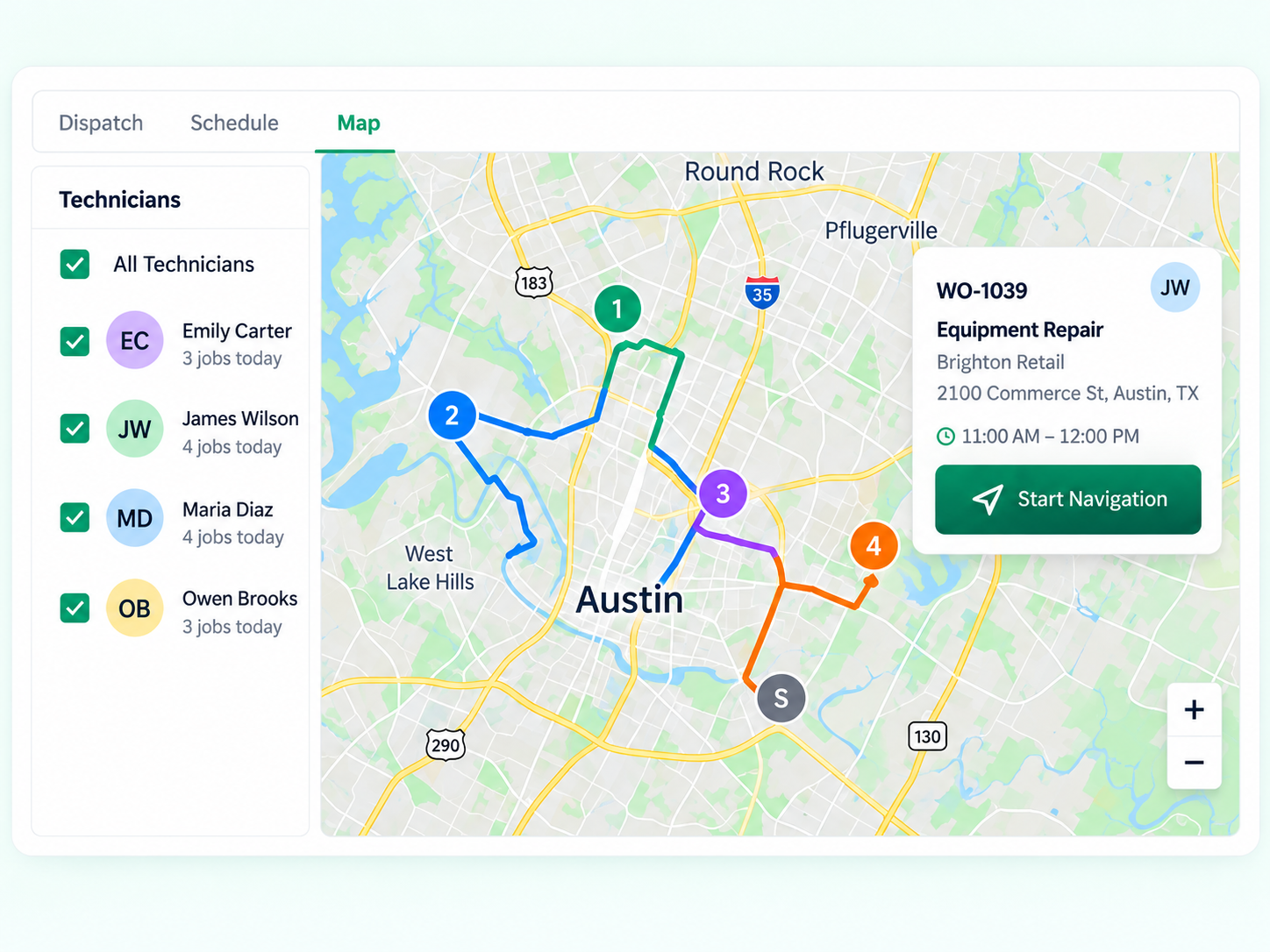
Get the right technician to the right job.
See where your team is working today, assign the closest qualified technician and keep customers updated when plans change.
Faster dispatch
Drag a job onto a technician’s day or let Noxtill suggest who is free and nearby.
Route view
Jobs for each technician appear in order on the map.
Live status
Technicians update status from the app; the office sees it immediately.
All the job details, right where your technicians need them.
Each work order holds the customer, address, asset, tasks, photos, notes and signature — on the office board and in the technician app.
From quote to paid job to customer review.
Quotes come from Orders, customer details from Customers (CRM), technicians from Staff. When a job is complete, Noxtill can create the invoice and send a review request.

Keep your field operations moving.
Bring quotes, scheduling, dispatch and completed jobs into one connected Noxtill workspace.