

Where rows can go
Every row, sent to the right place.
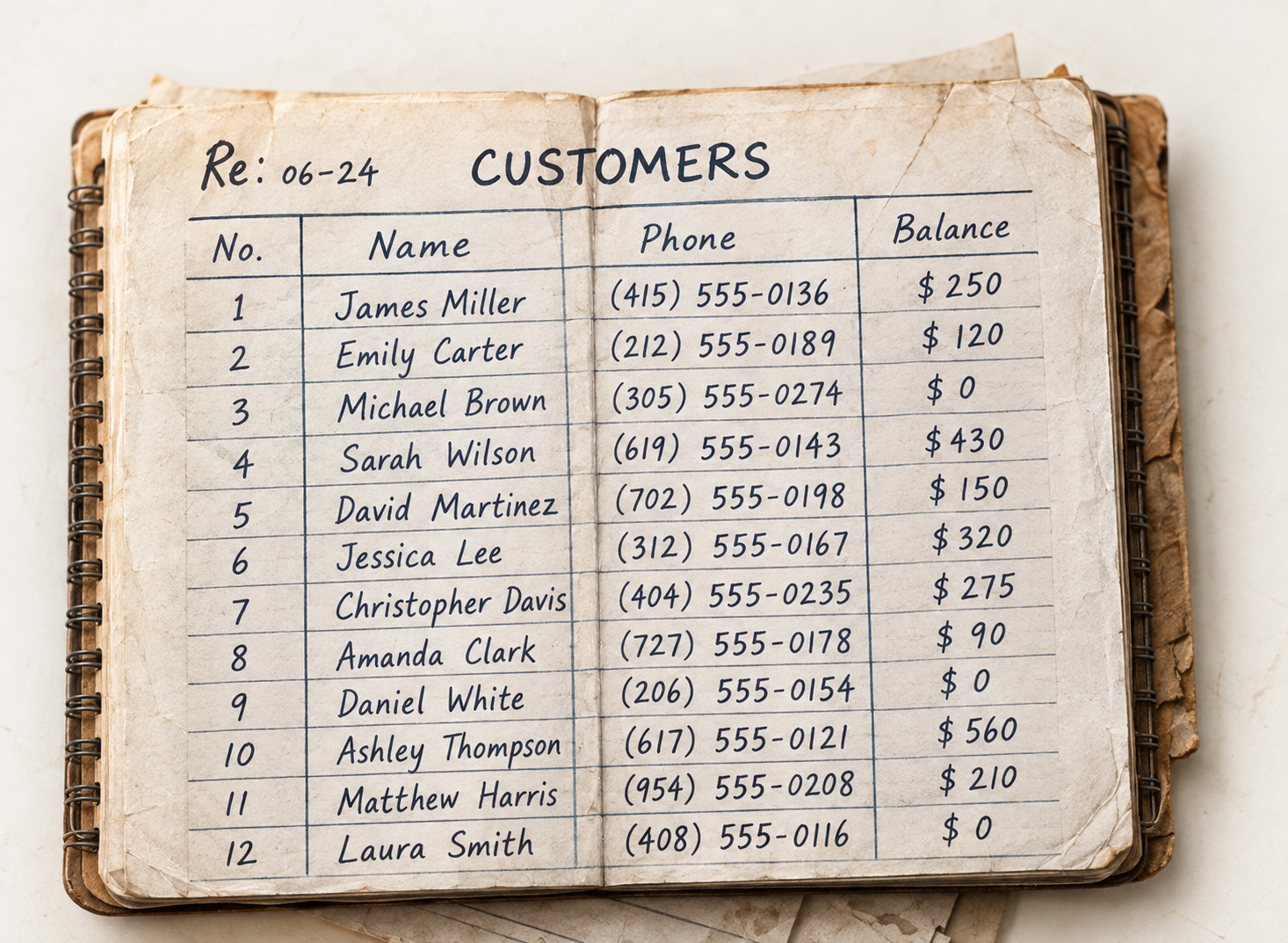
Each kind of page has a sensible default: receipts become expenses, a customer list becomes customers. Mixed pages are sorted row by row. You can change the destination of any single row.
Duplicates
Already in Noxtill? You choose what happens.
When a row looks like a customer, product or supplier you already have, review shows the match side by side. Use the existing record, create a new one, or skip the row.
Emily Carter looks familiarSame phone number
(212) 555-0189
Balance $120.00
(212) 555-0189
Customer since 2025
FAQs
Review and approval questions.
Related: Data Extraction · Document Scanning · Inventory from Photos
Is anything saved before I approve?
No. Read data waits in review and is saved to your records only when you approve it.
Can I see the original while reviewing?
Yes. The original photo or PDF is shown beside the rows read from it.
Can I change where a row goes?
Yes. Each kind of page has a default destination, and you can change it for any single row.
What about records I already have?
Possible duplicates are shown side by side. Use the existing record, create a new one or skip the row.
Is there a quick way for clean pages?
Yes. Accept all clear rows at once and only work through the flagged ones.
Your records, checked before they’re saved.
Start a 14-day free trial or book a demo to review your first scan.