

Why it matters
A whiteboard can’t tell you who’s closest.
Dispatchers juggle a whiteboard, phone calls and a map app. Two vans end up crossing town while a third sits idle near the next job.
A dispatch board shows every open job and every technician’s status together, so assignments are quicker and routes overlap less.
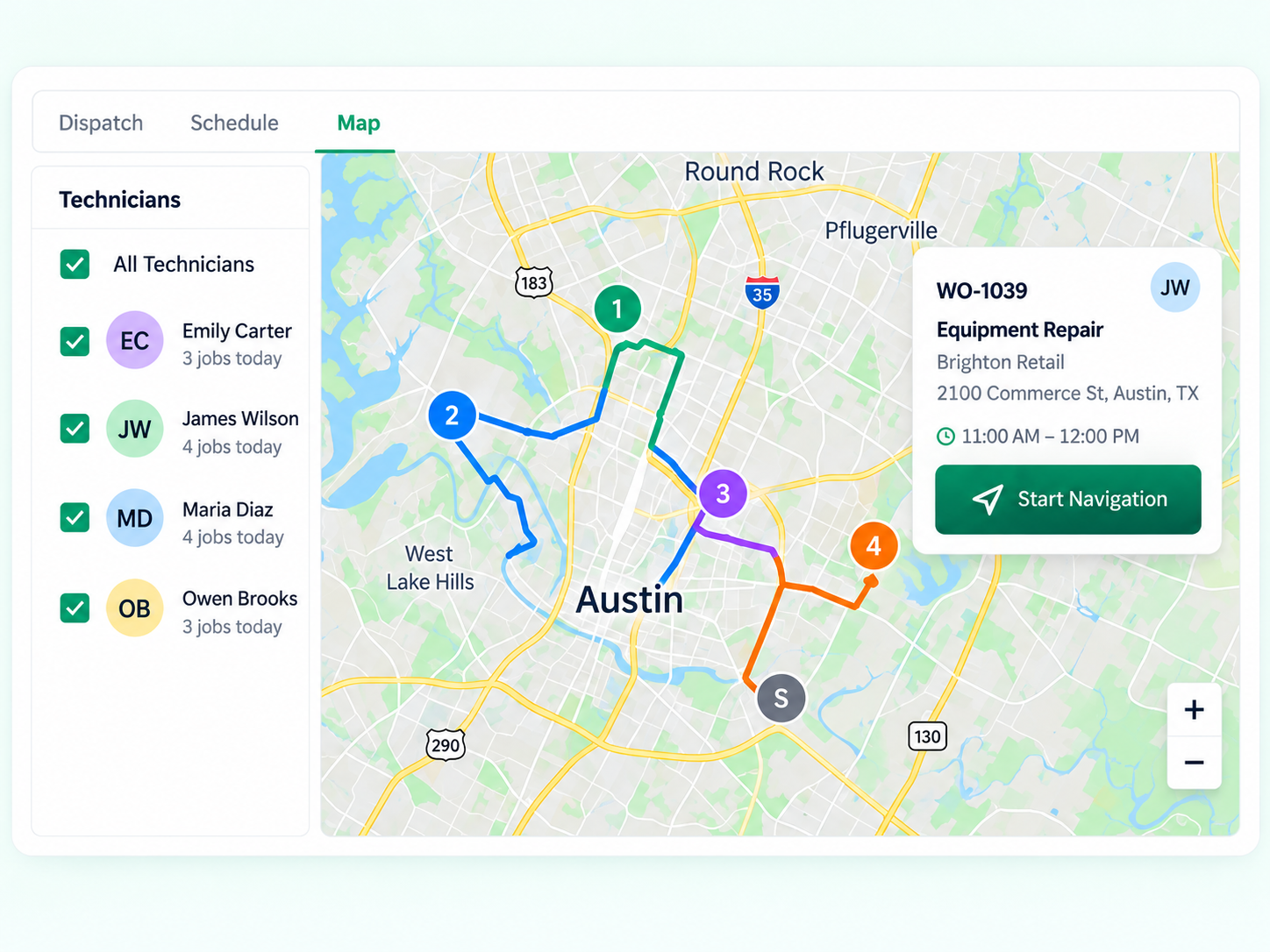
How dispatch board works
A clearer way to work.
- 1See open jobsUnassigned and today’s jobs appear in one column.
- 2Check techniciansStatus, current job and area for each technician.
- 3AssignPick a technician; estimated travel time is shown.
- 4NotifyThe technician and customer are notified.
- 5Reassign when plans changeMove the job to someone else with a note.
Interface and key controls
See the details that keep work moving.
Pick an open job, then a technician. Travel times are marked as estimated unless a map provider supplied them. Busy technicians need a reassignment.
Open jobs
Business scenarios and exceptions
Designed for real-world exceptions.
Travel times are labeled as estimated or provider-supplied, never presented as exact arrival times, and reassignments notify everyone affected.
Business scenario
A practical day in the business.
Arrow Appliance Repair in Indianapolis, IN runs five vans. Dispatcher Gina Patterson used to manage the day from a whiteboard.
- 8:05 AM — A dryer repair comes in for Broad Ripple. Luis Herrera is 12 minutes away (estimated) and available.
- 8:06 AM — Gina assigns it; Luis and the customer get a text with an arrival window.
- 10:40 AM — Tom Becker’s job runs long. Gina reassigns his 11:00 AM job to Andre Lewis with a note.
- 10:41 AM — The customer is told about the new technician and window.

What does the dispatch board show?
Open and scheduled jobs, plus each technician’s status, current job and area, on one screen.
Are travel times exact?
No. They’re labeled as estimates, or as provider-supplied when a map provider is connected. They’re not guaranteed arrival times.
How do I reassign a job?
Pick a different technician and add a note. Both technicians and the customer are notified.
Who should use the dispatch board?
Service coordinators running several technicians or vans each day.
Can technicians see their assignments?
Yes. Assigned jobs appear on their phone with the address, notes and work order.
Dispatch with the whole picture in view.
Start a 14-day free trial or book a demo to set up your dispatch board.