

Appointment Scheduling for Small Business: Build a Booking System Customers Can Rely On
Build a better small business booking process with online scheduling, calendar rules, appointment reminders, cancellations and waitlist management.

IN THIS ARTICLE
- What a complete booking system needs
- Define services and booking rules first
- Make online booking easy to discover
- Use reminders to reduce avoidable forgetfulness
- Handle cancellations and rescheduling deliberately
- Use a waitlist to recover suitable openings
- Give staff one reliable schedule
- Measure booking performance and no-show patterns
- Where Noxtill Bookings fits
- Frequently asked questions
- The bottom line
Appointment scheduling for a small business combines service definitions, real staff availability, online booking, confirmations, reminders, cancellations and waitlist handling. The aim is to make booking simple for customers and dependable for the team.
An appointment is more than a time slot. It is a commitment between a customer and a business. The customer expects to know what they booked, when to arrive, where to go, how much time to allow and what to do if plans change. The business needs to know which employee is responsible, which service is being delivered, how much capacity remains and whether the appointment is confirmed.
When booking information is spread across phone calls, paper diaries, spreadsheets and direct messages, the team spends time reconciling schedules instead of preparing for customers. Double bookings, unclear service durations, missed reminders and empty slots after cancellations can all come from a process that lacks one reliable source of truth.
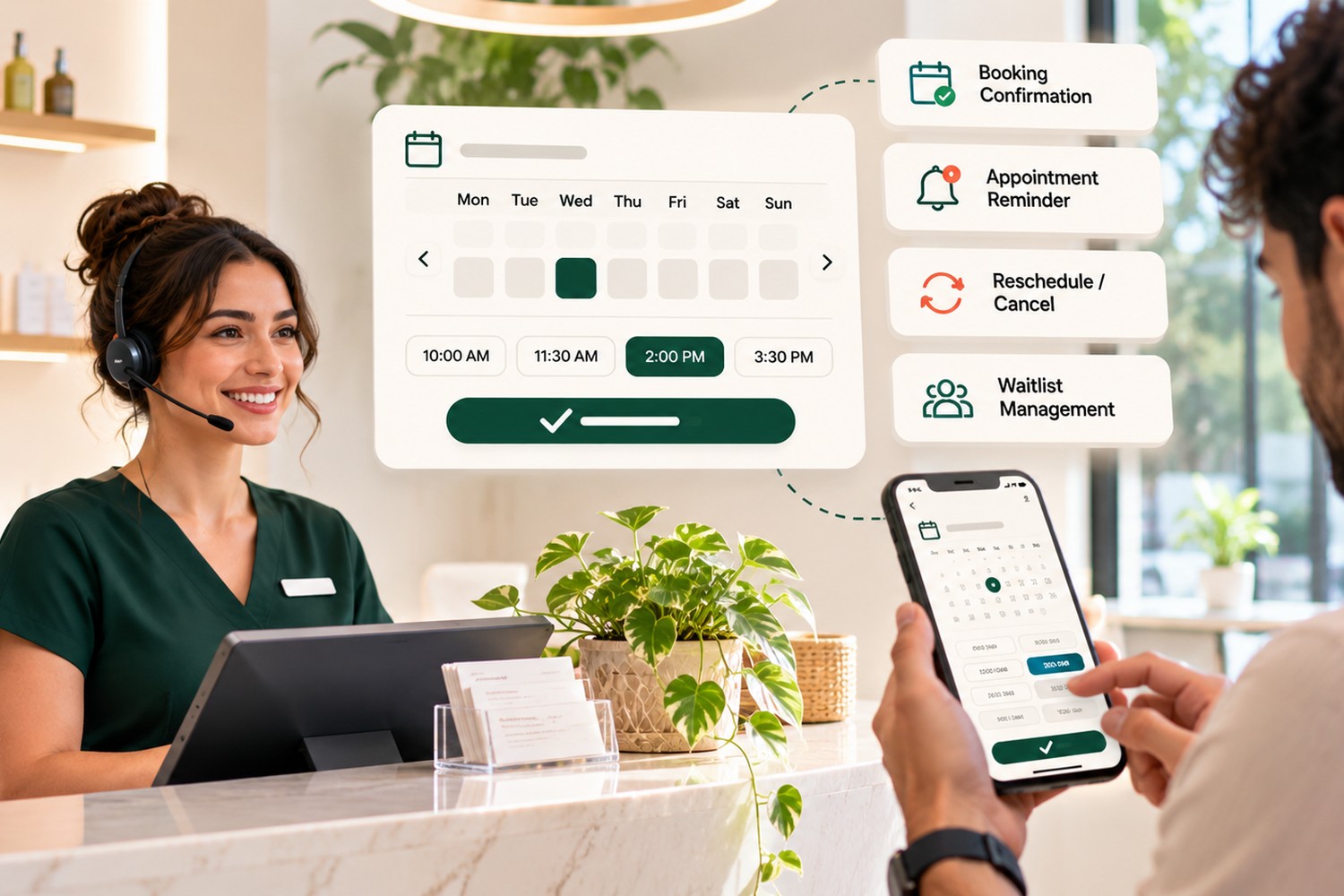
Appointment scheduling software can make the process easier, but the software alone does not create a good booking system. The business must define services, staff availability, booking rules, reminder timing, cancellation handling and ownership. This guide shows how to design those elements and how Noxtill Bookings supports online booking, reminders, calendar coordination and waitlist management. [1]
What a complete booking system needs
A useful booking system has six connected elements. It needs a service catalogue with clear names and durations. It needs availability that reflects working hours, staff schedules and time off. It needs a customer-facing way to choose a service and time. It needs confirmation so both sides know the appointment exists. It needs a process for reminders, cancellations and rescheduling. Finally, it needs visibility for the team so every appointment has an owner and a next step.
If one element is missing, the business may still take bookings, but staff will have to compensate manually. An online calendar with incorrect service durations can create the same scheduling problems as a paper diary. Automated reminders sent to the wrong contact details can create confusion. A waitlist that is never checked does not fill empty capacity. Treat scheduling as an end-to-end workflow rather than a calendar widget.
Define services and booking rules first
Write clear service names and descriptions
Customers should understand what they are booking. Use the name they recognize, explain what is included and clarify any preparation requirements. Avoid internal abbreviations that only staff understand. If two services sound similar but require different time or equipment, explain the difference before the customer selects a slot.
Set realistic durations and buffers
The appointment length should reflect the work, not only the time spent with the customer. Include preparation, room turnover, cleanup, travel or documentation where relevant. A service that takes 45 minutes with a 15-minute reset needs a 60-minute block if the same employee cannot serve another customer during the reset. If durations vary, define a booking rule or a staff review process instead of letting customers guess.
Match availability to real capacity
Availability should reflect employee shifts, breaks, holidays, locations, equipment and service-specific qualifications. A business may have three employees but only one person trained for a particular service. Showing every employee as available for every service can create an appointment that the business cannot deliver.
Make policies visible before confirmation
Explain deposits, cancellation windows, late-arrival rules, service-area restrictions and what happens when the business needs to reschedule. Keep the language simple and consistent across the booking page, confirmation and reminder. Policies should be fair, approved by the business and consistent with applicable law. Do not hide important conditions in a small-print link after the customer has booked.
Make online booking easy to discover
A booking page only helps when customers can find it. Place the booking link on the website, relevant service pages, social profiles, email signatures and follow-up messages where appropriate. A QR code can make it easier for customers to open the booking page from a counter sign, printed card or service location. Noxtill’s public Bookings page describes sharing a link or QR code on a website, social media or in-store. [1]
Keep the path short. Ask for the information needed to schedule and deliver the service, not every detail the business may someday want. Too many required fields can make booking feel like paperwork. If the service needs a consultation before confirmation, explain that the customer is requesting a time rather than receiving an instant confirmed appointment. Set expectations about the next response.
Test the booking journey on a phone. Check that service names are readable, available dates are obvious, time zones are correct where relevant and confirmation details are easy to understand. A customer should not have to zoom or scroll through a long block of policy text to find the appointment time.
Use reminders to reduce avoidable forgetfulness
A reminder gives the customer a chance to prepare, confirm or reschedule before the appointment. The best reminder schedule depends on the service, booking lead time and customer expectations. A business with appointments booked weeks in advance may need a confirmation soon after booking and another reminder closer to the visit. A short-notice service may need a simpler message. Test timing rather than assuming one cadence fits every type of appointment.
A useful reminder includes the business name, service, date, time, location or meeting instructions, a way to ask a question and a clear route to cancel or reschedule. Avoid sending a reminder that says only “You have an appointment tomorrow” without enough context for the customer to identify it. Make sure the contact details are accurate and that the communication channel is permitted for the intended message. For SMS and other electronic messages, collect and use contact information in line with the rules and consent requirements that apply to the business and jurisdiction.
No reminder guarantees attendance. Customers may have emergencies, change priorities or face transportation problems. The purpose is to make it easier for them to remember and to give the business more notice when plans change. That notice can create an opportunity to offer the slot to someone on a waitlist.
Handle cancellations and rescheduling deliberately
A cancellation should update availability consistently. Define who can cancel, how much notice is required and whether a deposit or fee applies under the business’s policy. If the customer can reschedule without staff help, show the available options clearly. If the appointment requires approval, route the request to the responsible employee and tell the customer when they can expect an answer.
Staff should be able to see whether a slot is open, held, confirmed or awaiting action. Avoid ambiguous statuses that lead two employees to believe they own the same time. When an appointment changes, update the confirmation and reminder schedule so the customer does not receive outdated information.
A cancellation process should be respectful. Do not make customers navigate a complicated sequence just to tell the business they cannot attend. Clear cancellation rules and an easy reschedule path can preserve the relationship even when the original appointment does not happen.
Use a waitlist to recover suitable openings
A waitlist is most effective when the business knows which services, employees, locations and time windows a customer can accept. A customer who wants a Saturday morning appointment may not be able to take a Tuesday afternoon opening. Collect preferences that help staff make a relevant offer without collecting unnecessary data.
When a slot becomes available, offer it using a defined process. Decide how long the customer has to respond, whether the slot is held temporarily and what happens if there is no response. Be clear that the appointment is not confirmed until the customer accepts and the booking system records the confirmation. This avoids telling two customers that they own the same slot.
Noxtill’s booking page describes waitlist management that can offer cancelled slots to waitlist customers, alongside reminders and cancellation handling. [1] Before enabling an automated offer, verify the actual configuration and customer acceptance flow. A waitlist is not a reason to send excessive messages or expose one customer’s information to another.

Give staff one reliable schedule
A customer-facing booking page and an internal team calendar should reflect the same underlying availability. Staff need to see the appointments they are responsible for, the service being delivered, the location and any approved notes needed to prepare. Access should follow job responsibilities: an employee who only needs their own schedule should not automatically receive access to every customer record or financial detail.
When a business has multiple locations, define whether a customer is booking a specific branch or any eligible branch. When service providers work across locations, account for travel time and handover. If the business uses external calendars, verify what synchronizes, which system is authoritative and how conflicts are resolved. A “calendar sync” label does not explain whether updates are one-way, two-way, immediate or delayed; confirm the behavior in the actual product before promising it.
Review changes daily. Look for overlapping appointments, missing staff assignments, unusually long gaps, appointments booked outside policy and customer records without a reliable contact method. The goal is not to fill every minute. A realistic schedule needs time for preparation, breaks, complex jobs and unexpected delays.
Measure booking performance and no-show patterns
Track the number of booking page visits, completed bookings, cancellations, reschedules, attended appointments and no-shows. Separate first-time and returning customers where appropriate and compare by service, time of day, location and lead time. This helps the owner identify whether a service is difficult to book, whether one time window has more cancellations or whether customers need clearer instructions.
A simple booking conversion rate is completed bookings divided by booking-page visits. A no-show rate is appointments not attended and not cancelled within the business’s defined policy divided by confirmed appointments. Define the denominator consistently before comparing periods. Do not compare a week with many future appointments against a week where all appointments have already occurred.
You can also estimate the operational value of a recovered slot. For an illustrative calculation, multiply the number of cancelled slots successfully refilled by the average contribution from those appointments. Use contribution after variable costs rather than the headline service price. The result is an internal estimate, not a guaranteed software return. Keep a record of whether the slot was actually refilled and attended.
Where Noxtill Bookings fits
Noxtill’s public page lists online booking through a link or QR code, schedule management, automatic WhatsApp, email or SMS reminders, cancellation handling, waitlist offers for cancelled slots and calendar synchronization. It also describes connected appointment details, customer information and history. [1]
A sensible rollout begins with one or two core services. Configure names, durations, staff availability and cancellation rules. Publish the booking link. Test the process from a customer’s phone. Confirm that reminders contain accurate details. Then test a cancellation and waitlist offer from beginning to end. Expand to more services once the team can see and manage the full booking lifecycle.
Be cautious of any tool that promises “guaranteed zero no-shows” or a fixed percentage increase in bookings. Results depend on the service, demand, staff capacity, reminder quality, customer preferences and the business’s existing process. Judge the workflow on your own booking data over time.
Frequently asked questions
What does appointment scheduling software do?
It helps customers choose available services and time slots while giving the business a shared view of appointments, staff availability, confirmations, reminders and schedule changes.
How can a small business reduce appointment no-shows?
Use clear booking details, timely reminders, easy cancellation and rescheduling, accurate contact information and a fair policy. Review no-show patterns by service and time rather than assuming reminders alone will solve every cause.
When should appointment reminders be sent?
Choose timing based on how far ahead customers book and how much preparation is needed. A confirmation immediately after booking and a reminder closer to the appointment are common starting points, but the business should test what works and respect communication preferences.
How do waitlists fill cancelled appointment slots?
A waitlist stores customers’ preferences. When a suitable slot becomes available, the business can offer it to a matching customer. The appointment should be treated as confirmed only after the customer accepts and the booking system records the change.
What should a booking confirmation include?
Include the business name, service, date, time, location or joining instructions, relevant preparation notes, contact route and a clear cancellation or rescheduling option.
Can booking software sync with a business calendar?
Some systems support calendar synchronization, but the direction and timing of updates vary. Verify which calendars are supported, how conflicts are handled and which system is the source of truth.
The bottom line
A reliable booking system makes it easy for customers to choose a time and easy for staff to deliver the appointment they promised. Start with clear service definitions and realistic capacity, then add reminders, cancellation handling and waitlist recovery. Explore Noxtill Bookings to see its published scheduling workflow.
NOXTILL FEATURES MENTIONED IN THIS GUIDE
SOURCES REFERENCED
Examples in this guide are illustrative workflows, not customer case studies or promised results. Product capabilities, integrations and plan limits should be confirmed in the live product.


